
If your team has ever wished they could manage vendor issues with the same rigour as customer support cases — or spent too long sending invoices one email at a time — this release is for you. The CRM updates in MYOB Acumatica 2025.2 are all about removing friction from your day-to-day communication workflows.
Track Vendor Issues the Same Way You Track Customer Cases
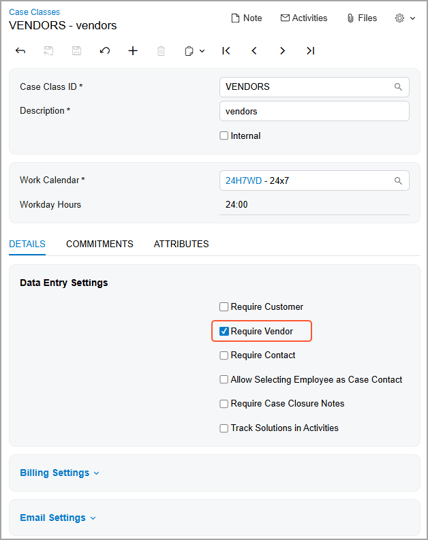
Until now, support cases were reserved for customers. That meant vendor disputes, follow-ups, and queries often lived in email threads or spreadsheets — easy to lose, hard to report on. With 2025.2, you can now create and manage support cases directly against vendor accounts. The system auto-populates contact details and location, and a dedicated Cases tab on the Business Accounts form gives you a single view of every open vendor issue. If you're managing supplier relationships across multiple sites or projects, this is a significant quality-of-life improvement.
Send Multiple Documents in a Single Email
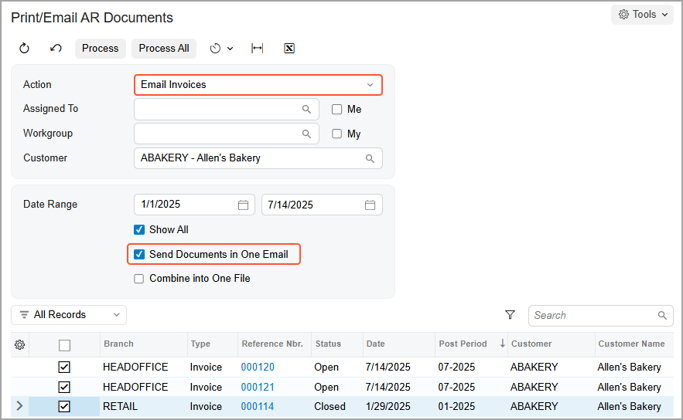
How much time does your accounts team spend emailing invoices, quotes, and orders individually? In 2025.2, you can attach multiple documents to a single email per customer — and optionally combine them into one PDF. It works across AR documents, sales invoices, sales orders, and both sales and project quotes. The system groups everything by customer and handles it through mass processing, supporting up to 100 documents in one go. New email templates and two new mass print/email forms for sales quotes and project quotes are included out of the box.
Stronger Email Security with TLS Encryption
Email security has been tightened with exclusive support for TLS 1.2 and TLS 1.3 protocols. You now have granular control over encryption settings for both outgoing and incoming connections directly from the Email Accounts form, with sensible default ports set automatically. If your organisation has strict security requirements, this gives you the confidence that your ERP email traffic meets modern encryption standards.
A Cleaner, Faster Activity Experience
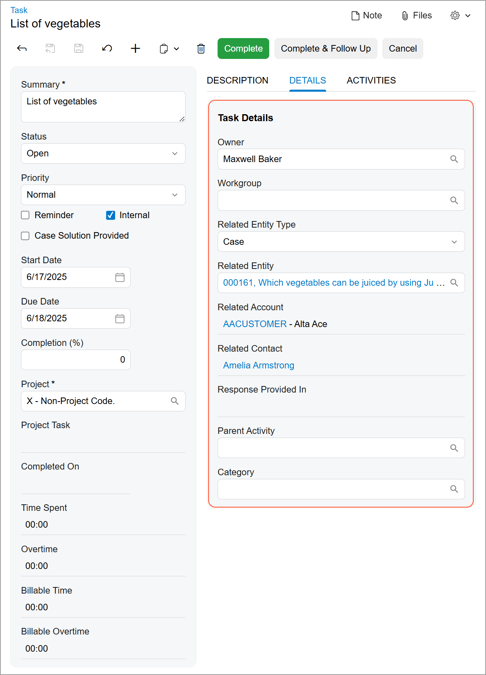
The Activity, Task, and Email Activity forms have been redesigned for the Modern UI. The layouts now surface the most important information first, with a new summary area that lets you preview activities without opening them. A simplified activity type menu makes it quicker to create tasks, emails, and other activities from a single screen. It's a small change that adds up to real time savings across your week.
Want to make the most of MYOB Acumatica 2025.2?
Our team at Avanza Solutions can walk you through the features that matter most to your business and help you plan your upgrade.
Book a demo | View the full release notes
The information in this blog is based on the MYOB Acumatica 2025.2 release and is intended for informational purposes only. Avanza Solutions is an independent MYOB Acumatica implementation partner and is not responsible for the development, release, timing, or availability of any features or functionality described. Feature availability may vary by licence, configuration, and region. The development and release of any product features remains at the sole discretion of MYOB. This content does not constitute a commitment to deliver any material, code, or functionality, and should not be relied upon in making purchasing decisions. For the most current product information, refer to the official MYOB Acumatica release notes.