
If your field service team has been juggling multiple scheduling forms and workarounds, this release brings welcome relief. The new Calendar Board replaces six legacy forms with a single, powerful scheduling tool built on the Modern UI.
Note: This feature is available as part of the Modern UI, which is rolling out in stages in 2026.
One Board to Replace Six
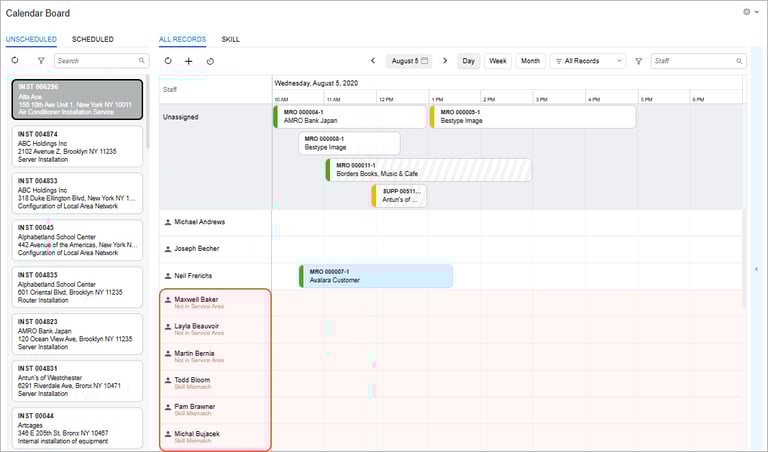
The new Calendar Board consolidates the Staff Calendar Board, Room Calendar Board, Staff Working Schedule Board, Dispatch Board, Staff Appointments on Map, and Appointment History on Map into one form. An Unscheduled tab shows all service orders needing appointments — simply drag an order onto the calendar to schedule it — while the Scheduled tab shows all existing appointments at a glance.
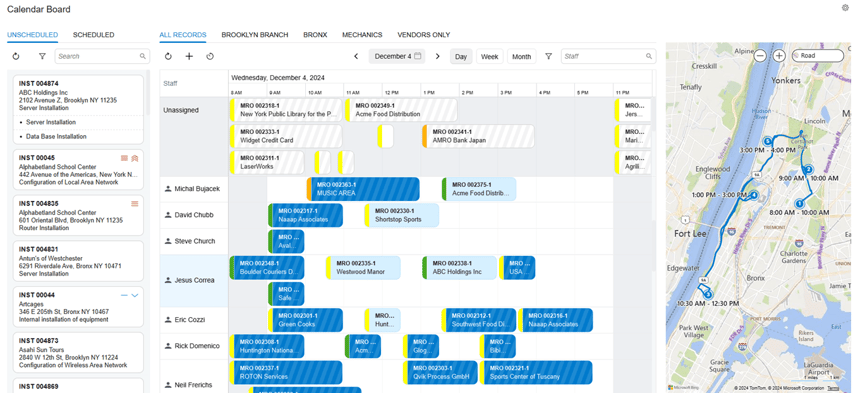
The new Calendar Board (FS300300) form replaces the following boards:
- Staff Calendar Board (FS300400) form
- Room Calendar Board (FS300700) form
- Staff Working Schedule Board (FS300500) form
- Dispatch Board (FS301300) form (available with customization only)
- Staff Appointments on Map (FS301100) form
- Appointment History on Map (FS301200) form
Drag-and-Drop Scheduling with Map Integration
Schedule appointments by dragging service orders onto staff time slots, with infinite scroll navigation and locale-aware date/time formatting. An integrated map view powered by Azure Maps shows appointment locations and routes between appointments, with support for selecting multiple staff members to compare routes using distinct colour coding. This makes it significantly easier to optimise travel time and balance workloads across your team.
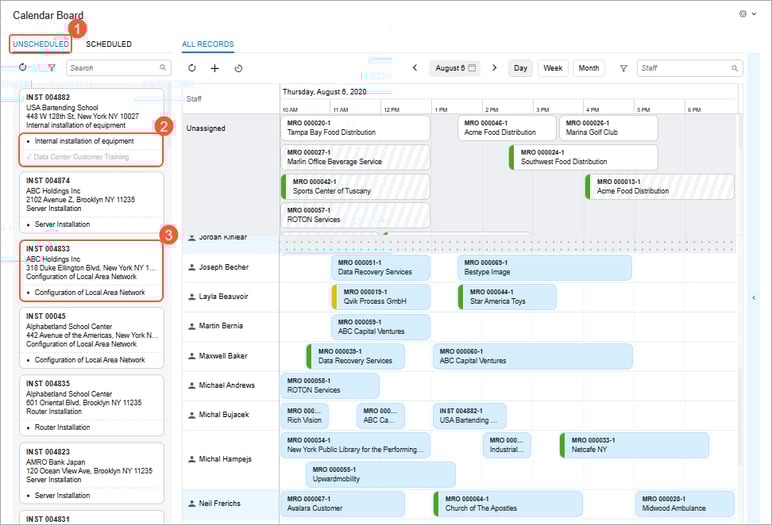
Real-Time GPS Tracking
When enabled through the mobile app, real-time GPS tracking displays current staff locations on the map. Field service managers get live visibility into where technicians are at any given moment — invaluable for responding to urgent jobs or reallocating resources on the fly.
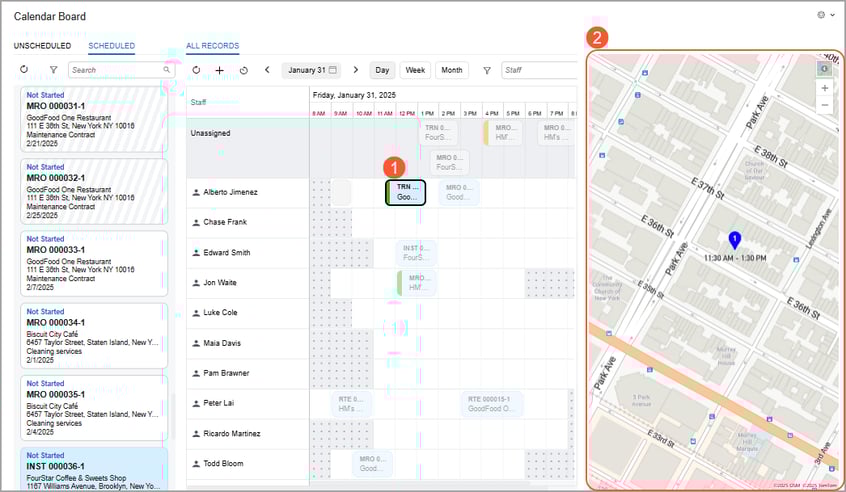
Smart Validation & Custom Views
The system can now warn or prevent scheduling when a staff member's skills, licences, or service areas don't match an appointment's requirements — catching mismatches before they become costly mistakes. Custom filtered calendar views let you switch between perspectives like "My Team" or specific branch locations, and colour-coded appointment tiles provide instant visual feedback on confirmation status, assignment status, and appointment state.
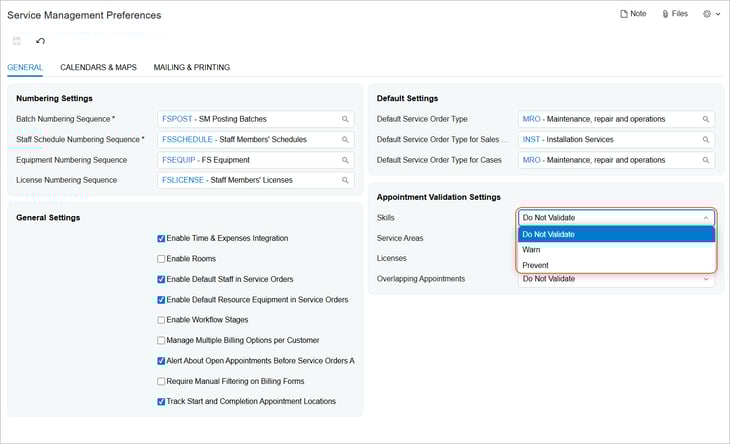
Want to make the most of MYOB Acumatica 2025.2?
Our team at Avanza Solutions can walk you through the features that matter most to your business and help you plan your upgrade.
Book a demo | View the full release notes
The information in this blog is based on the MYOB Acumatica 2025.2 release and is intended for informational purposes only. Avanza Solutions is an independent MYOB Acumatica implementation partner and is not responsible for the development, release, timing, or availability of any features or functionality described. Feature availability may vary by licence, configuration, and region. The development and release of any product features remains at the sole discretion of MYOB. This content does not constitute a commitment to deliver any material, code, or functionality, and should not be relied upon in making purchasing decisions. For the most current product information, refer to the official MYOB Acumatica release notes.